

Tailored content control appropriate for everyone in your home.

ExperienceIQ

ExperienceIQ

ExperienceIQ lets you set rules for sites like YouTube and TikTok—and games like Roblox and Minecraft. From managing screen time to monitoring websites and apps across all your family’s connected devices, managing your network has never been simpler.

Three children looking at a tablet on a wooden floor in a living room.

Tailored content control appropriate for everyone in your home.

ExperienceIQ

The all-new CommandIQ® Wi-Fi app makes managing it simple.

ExperienceIQ lets you set rules for sites like YouTube and TikTok—and games like Roblox and Minecraft. From managing screen time to monitoring websites and apps across all your family’s connected devices, managing your network has never been simpler.

Woman in kitchen holding phone and mug, smiling.
Family using a tablet and smartphone; app controls internet and devices.

You decide what content is appropriate — and how much.

ExperienceIQ manages all your family’s devices and content access from the app. You can customize what is appropriate to keep your family safe online.

Download Cablelynx CommandIQ below

App Store Google Play
Family using a tablet and smartphone; app controls internet and devices.

You decide what content is appropriate — and how much.

ExperienceIQ manages all your family’s devices and content access from the app. You can customize what is appropriate to keep your family safe online.

Download Cablelynx CommandIQ below

App Store Google Play

ExperienceIQ: Control Features

Mobile app screen showing
Black circle with a white check mark.

Wifi devices at home: game systems, smart TVs, phones, computers, tablets

Black circle with white checkmark.

Custom settings by family member

Black circle with a white check mark.

Screen time limits

Black circle with white checkmark.

Usage and history

Black circle with white checkmark.

Safe search

Black circle with white check mark.

Content filtering

Black circle with white check mark.

Set scheduled off times, like bedtime

Black circle with white checkmark.

Pause internet access

Black circle with a white check mark.

Device and activity priorities

ExperienceIQ: Content Control Features

Smartphone screen with content restrictions settings. Several categories are toggled off.

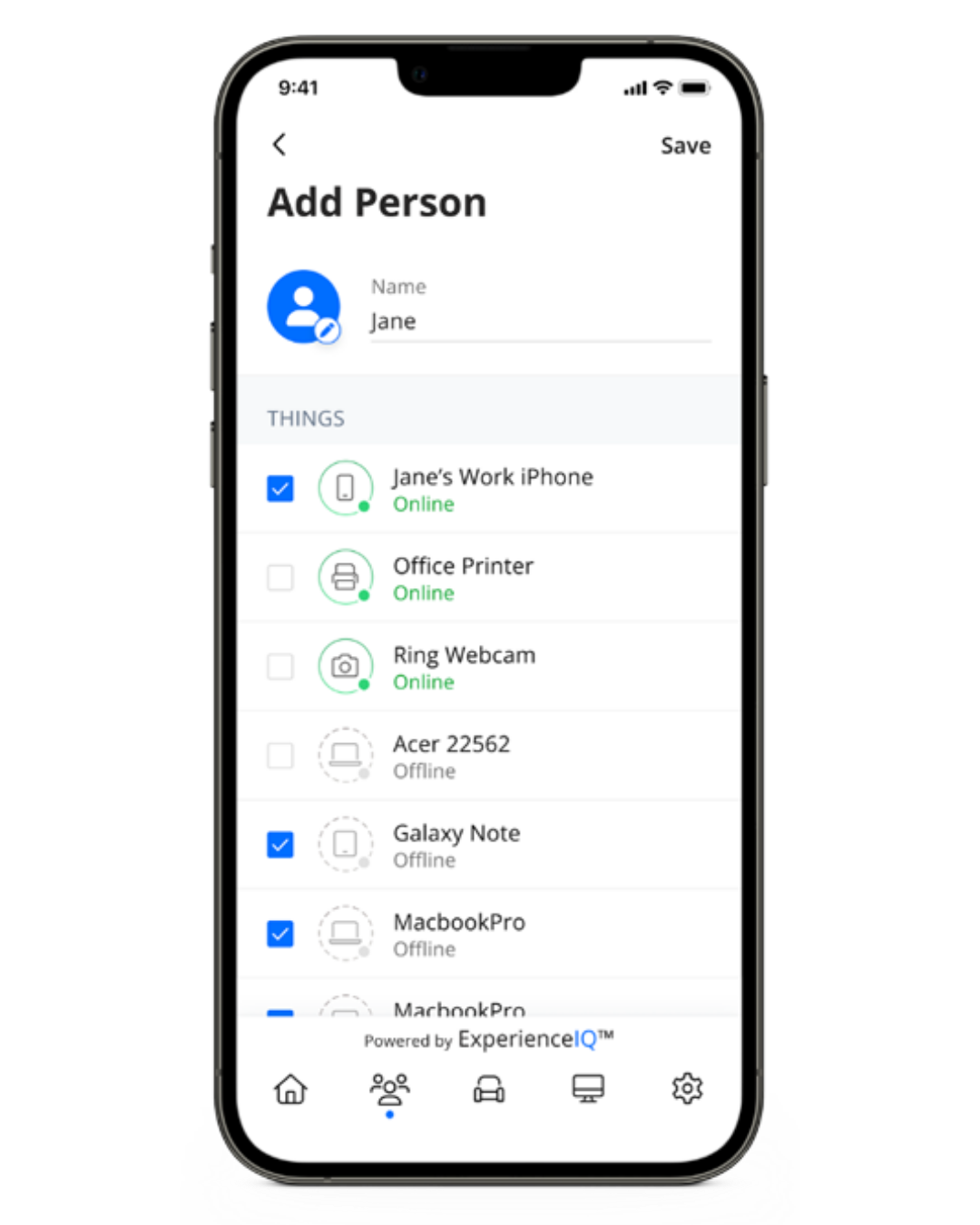
Create People Profiles

Use profiles to assign devices specific to family members and easily pause the internet or create offline schedules.

Filter

Block entire internet categories, apps, and websites.

Safe Search

Remove inappropriate and explicit content for users search results.

ExperienceIQ

With My Priorities Activity and Device Broadband Optimization

Smartphone screen showing application settings: Facebook, TikTok, Spotify with options to block or allow access.
Prioritize traffic by activity

Keep video calls from dropping or movies from buffering with activity prioritization.

Optimize bandwidth by device

Keep low priority devices or network hogs from consuming your bandwidth by prioritizing the most important devices over all the rest.

Set priority schedules

Set work time, school time or movie time schedules to create uninterrupted WiFi connectivity for those activity and devices.

Transform your home with the Ultimate WiFi Experience